 Image 1 of 1
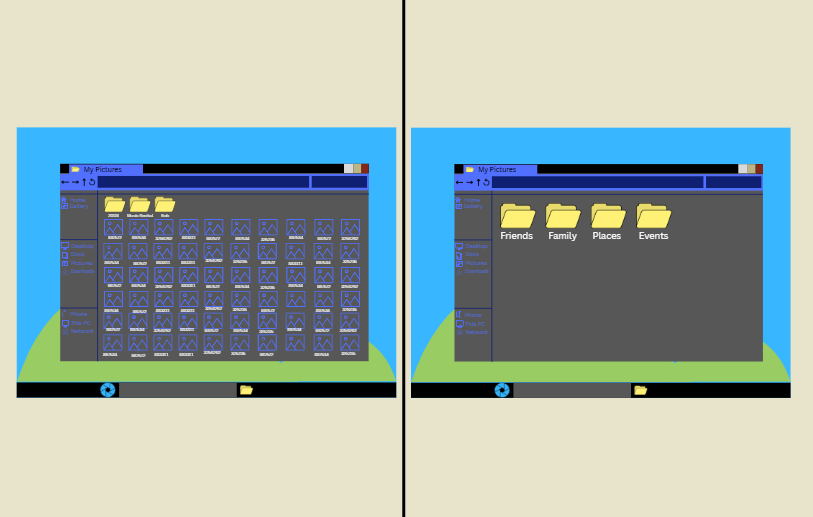
For an hourly rate, I can either sit with you and help you organize pictures to avoid accidentally deleting, corrupting, or losing precious files so that they are easy to find. I can also do it by myself if you like my system and don’t want to make any changes. I also create a backup of all your images before anything is done, in case anything happens since I will be teaching you how to do it regularly since the idea is that once there is an organizational infrastructure it is easier for you to import your phone pictures regularly so that if you lose your phone you dont lose your pictures.
My system:
MAKE BACKUP BEFORE ANYTHING.
Avoid Long Pathways (they cause confusion and complications to file safety)
Follow standardized copying, confirm, delete procedure. AVOID CUTTING/PASTING into folders to move pictures.
# of Primary Categories:
Family
Eugene (Each Person that is featured prominently gets a folder)
Birthdays
Special Person Specific Events
Portraits
Pets (Pets can also be its own Primary Folder)
Merlin
Adoption Day
Louise
Baby Louise
Friends (Pictures of you with your besties, and lifelong family friends)
Bob
Work New Years Party
Family Friends
The McNallys
Places (For trips or location specific groups of pictures)
Vacations
Spain
Places We’ve Called Home
Dallas
Grandma’s Old House
Events
Eugene and Sheila’s Wedding Pictures
Phone Uploads (Categorize Into Other Folders Monthly)
For an hourly rate, I can either sit with you and help you organize pictures to avoid accidentally deleting, corrupting, or losing precious files so that they are easy to find. I can also do it by myself if you like my system and don’t want to make any changes. I also create a backup of all your images before anything is done, in case anything happens since I will be teaching you how to do it regularly since the idea is that once there is an organizational infrastructure it is easier for you to import your phone pictures regularly so that if you lose your phone you dont lose your pictures.
My system:
MAKE BACKUP BEFORE ANYTHING.
Avoid Long Pathways (they cause confusion and complications to file safety)
Follow standardized copying, confirm, delete procedure. AVOID CUTTING/PASTING into folders to move pictures.
# of Primary Categories:
Family
Eugene (Each Person that is featured prominently gets a folder)
Birthdays
Special Person Specific Events
Portraits
Pets (Pets can also be its own Primary Folder)
Merlin
Adoption Day
Louise
Baby Louise
Friends (Pictures of you with your besties, and lifelong family friends)
Bob
Work New Years Party
Family Friends
The McNallys
Places (For trips or location specific groups of pictures)
Vacations
Spain
Places We’ve Called Home
Dallas
Grandma’s Old House
Events
Eugene and Sheila’s Wedding Pictures
Phone Uploads (Categorize Into Other Folders Monthly)